TL;DR
- Hagfish 2.0 introduces tax-compliant invoicing with proper VAT and Withholding Tax (WHT) support.
- New expense tracking helps you capture deductible business costs throughout the year.
- Keeping organized records isn't just about compliance — it directly reduces your tax liability.
- Small improvements in record-keeping can save you thousands in taxes you'd otherwise overpay.
The hidden cost of messy records
Here's something most creators don't realize until tax season hits: poor record-keeping doesn't just create stress — it costs you real money.
When you can't prove an expense was business-related, you can't deduct it. When your invoices don't show VAT correctly, you miss out on input tax credits. When you don't track WHT deductions, you might pay tax twice on the same income.
The math is brutal. If you're in a 20% tax bracket and you forget to claim $5,000 in legitimate business expenses, that's $1,000 you're handing to the tax authorities for no reason.
Multiply that across a year of subscriptions, equipment purchases, travel, and professional services — and you're looking at significant money left on the table.
What's new in Hagfish 2.0
We rebuilt Hagfish from the ground up with one goal: make it effortless to stay tax-compliant while you focus on your actual work.
VAT and WHT on every invoice
Every invoice in Hagfish 2.0 now supports proper tax handling:
- VAT (Value Added Tax) — Set your VAT rate, and it's automatically calculated and displayed on invoices. Your clients see exactly what they're paying, and you have a clear record for your VAT returns.
- WHT (Withholding Tax) — For jurisdictions that require it, invoices can show WHT deductions. When clients withhold tax at source, you have documentation to claim credit and avoid double taxation.
- Discount tracking — Apply discounts and see how they affect your taxable amount. Everything flows through to your totals correctly.
The tax section is collapsible — hide it when you don't need it, expand it when you do. No clutter, no confusion.
Expense tracking that actually works
Tax deductions only count if you can prove them. Hagfish 2.0 introduces proper expense management:
- Categorize everything — Software, subscriptions, equipment, travel, food, professional services, and more. Each category maps to standard tax deduction categories.
- Mark deductibility — Flag expenses as tax-deductible or not. At year-end, you'll know exactly what you can claim.
- Attach receipts — Upload receipt images directly to each expense. When the tax authority asks for proof, you have it.
- Client-linked expenses — Associate expenses with specific clients or projects for accurate job costing and potential reimbursement.
Client onboarding — no more chasing billing details
Ever landed a new client and spent days chasing them for their billing information? Company name, address, tax ID — the back-and-forth emails are tedious.
Hagfish 2.0 introduces Client Onboarding:
- Send an invite link — Enter your client's email, click send. They receive a link to fill in their billing details.
- Clients fill their own info — No account needed. They click the link, enter their company name, billing email, address, and tax ID, then submit.
- Review and accept — You see what they submitted and can accept (adds them as a client), request changes, or decline.
- Start invoicing immediately — Once accepted, their details are saved and ready for your next invoice.
No more awkward emails. No more manual data entry errors. No more waiting.
Tax ID fields everywhere
Your invoices now include proper fields for:
- Your business tax identification number (TIN/VAT number)
- Your client's tax identification number
- Additional notes for tax-relevant information
These aren't just formalities. In many jurisdictions, invoices without proper tax IDs aren't valid for VAT reclaims or expense deductions. Hagfish ensures you get it right every time.
Why this matters for your tax bill
Let's talk about the real impact of staying organized.
Claim every legitimate deduction
The typical freelancer or creator has dozens of deductible expenses they forget to track:
- Software subscriptions — Figma, Adobe, Notion, GitHub, hosting services
- Equipment — Laptops, monitors, cameras, microphones, furniture
- Professional services — Accountants, lawyers, consultants
- Education — Courses, books, conferences, training
- Travel — Client meetings, industry events, co-working spaces
- Home office — Percentage of rent, utilities, internet
Each of these can reduce your taxable income. But only if you track them.
With Hagfish 2.0, logging an expense takes seconds. Do it when it happens, and you'll never scramble to reconstruct your spending at year-end.
Recover VAT you've paid
If you're VAT-registered, you can typically reclaim VAT on business purchases. But you need:
- Valid VAT invoices from your suppliers
- Clear records of what you paid and when
- Proper categorization of business vs. personal expenses
Hagfish helps you maintain these records systematically. When it's time to file your VAT return, export your data and you're done.
Avoid WHT double-taxation
Withholding tax is meant to be a prepayment of your income tax, not an additional tax. But if you don't track WHT deductions properly, you might:
- Pay income tax on the full invoice amount
- Lose the credit for tax already withheld
- Effectively pay tax twice
Every Hagfish invoice that includes WHT creates a clear record. When you file your annual return, you can prove exactly how much was withheld and claim the appropriate credit.
The compound effect of good habits
Here's what happens when you stay organized throughout the year:
January: You log a $15 Figma subscription. Takes 10 seconds.
March: You buy a $1,200 monitor for your home office. Log it, upload the receipt.
June: A client withholds 5% WHT on a $10,000 invoice. Hagfish records it automatically.
September: You fly to a conference. Log the $500 flight as a travel expense.
December: Tax season approaches. Instead of panic, you export a clean report showing:
- Total income: $85,000
- Total deductible expenses: $8,500
- Total WHT already paid: $2,100
- VAT paid on purchases: $1,200
Your taxable income drops from $85,000 to $76,500. At a 20% rate, that's $1,700 in tax savings — just from expenses you would have forgotten without proper tracking.
Add the WHT credit, and you're looking at $3,800 less going to the tax authorities. Real money, kept in your pocket, because you spent a few seconds logging each transaction.
For Nigerian creators: staying ahead of the Tax Act 2025
If you're based in Nigeria, the Tax Act 2025 makes proper record-keeping more important than ever:
- The Nigeria Revenue Service (NRS) now has expanded audit powers and access to payment platform data
- Digital income is explicitly taxable — no more grey areas for online earnings
- Stricter reporting requirements mean you need organized records to back up your returns
Hagfish 2.0 is built with these requirements in mind. Your invoices include proper TIN fields, your expenses are categorized to match NRS expectations, and your data exports are formatted for easy compliance.
Getting started
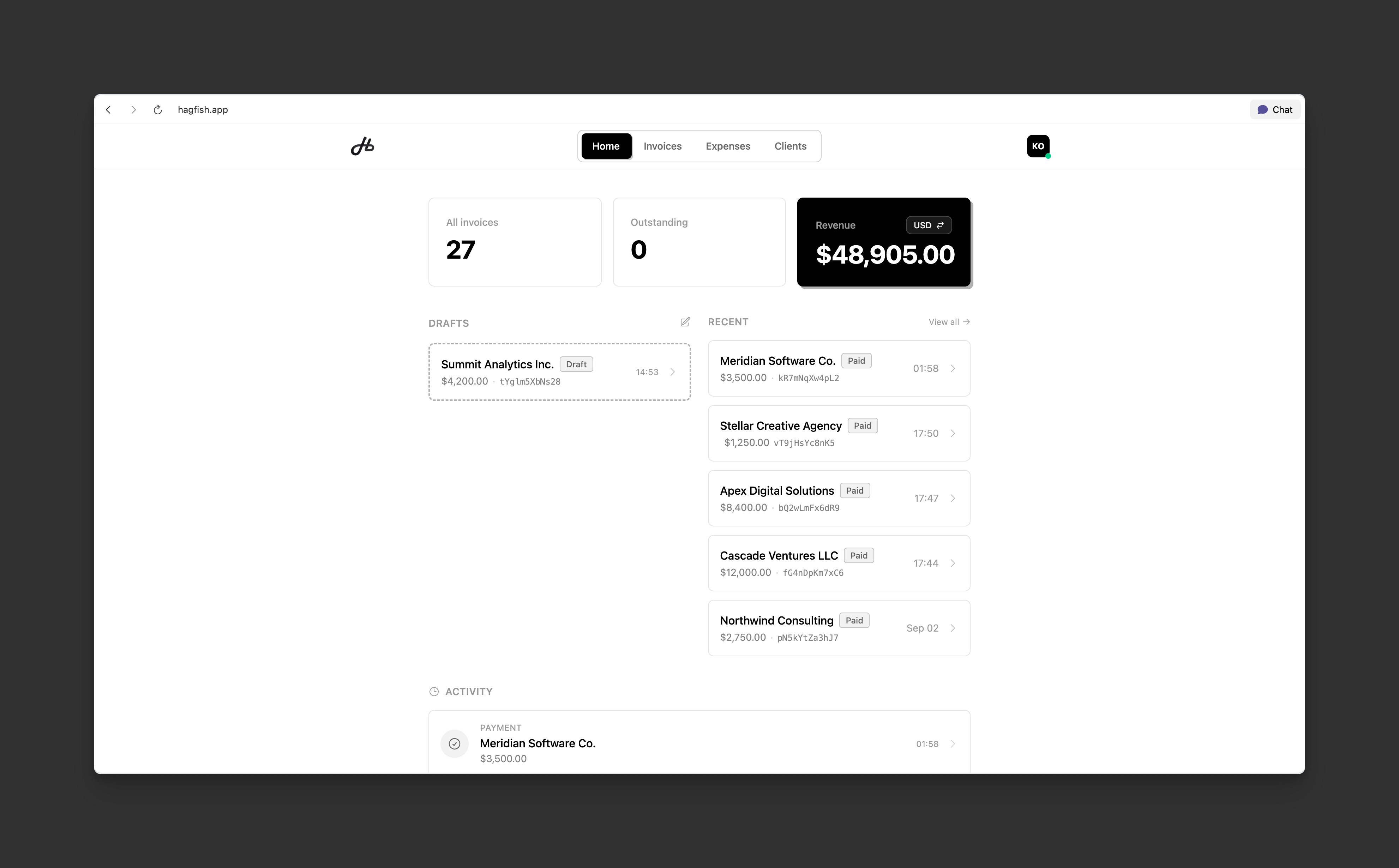
If you're already using Hagfish, the new features are available now. Head to your dashboard and you'll see:
- Tax settings in the invoice editor (expand "Tax & discount")
- The new Expenses section in your navigation
- TIN fields in your business and client profiles
If you're new to Hagfish, sign up and start with a system that's built for tax compliance from day one.
The bottom line
Tax compliance isn't just about following rules — it's about keeping money that's rightfully yours.
Every expense you track is potential tax savings. Every invoice with proper VAT handling is cleaner accounting. Every WHT record is protection against double-taxation.
Hagfish 2.0 makes all of this automatic. You focus on creating and earning. We'll make sure the records are there when you need them.
Your future self (and your accountant) will thank you.
Ready to get tax-compliant? Start using Hagfish 2.0 — it's free to try, and your tax savings will more than cover the subscription.